Do you want a list of your invoices in Excel, with one row per invoice? Then use Export to myself and tick the Excel overview (XLSX). The export runs in the background: you receive an email with a download link as soon as everything is ready.
💡 Looking for totals instead, such as your revenue per customer or per month? You get those from Reports (depending on your subscription), which you can also export to Excel.
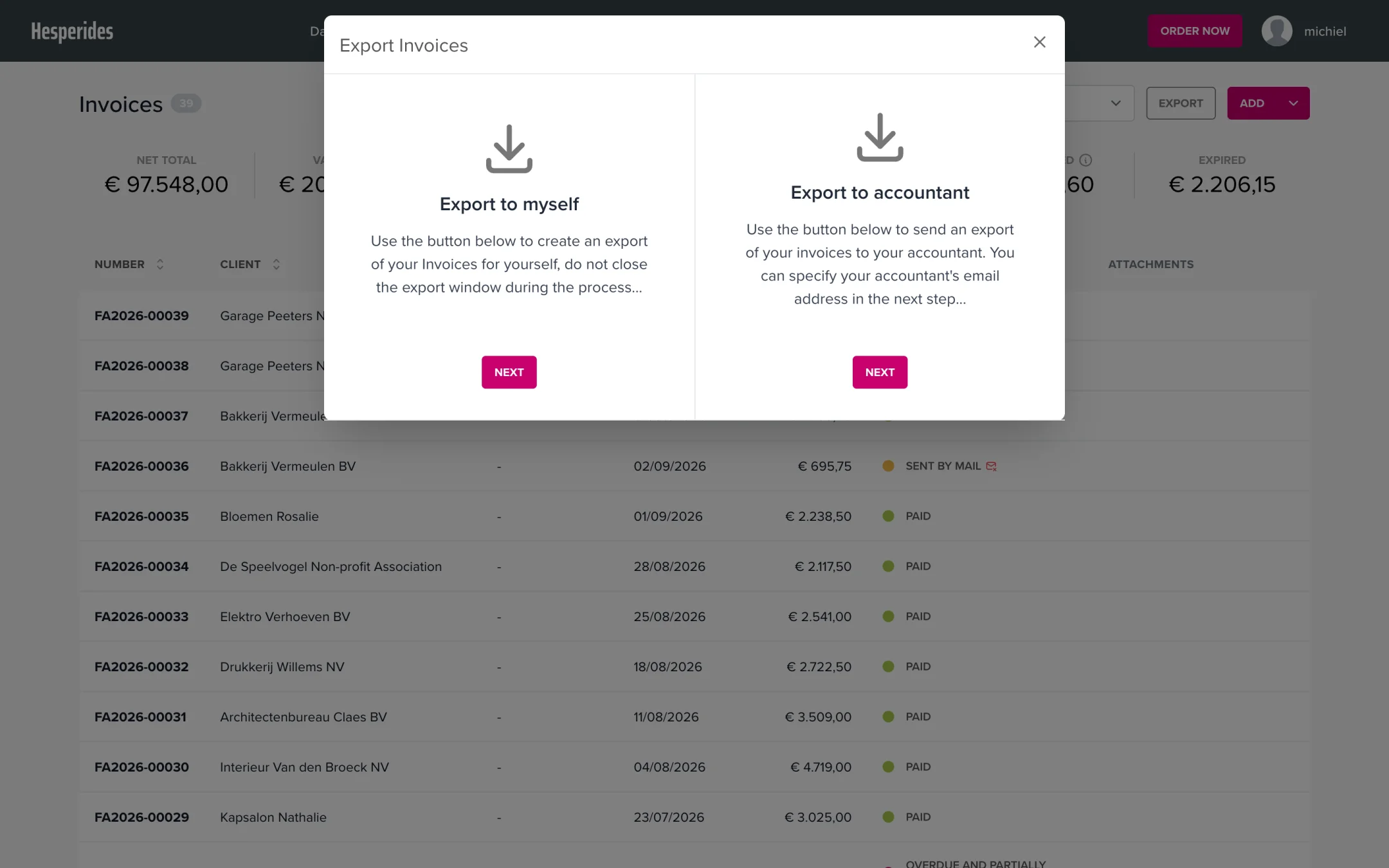
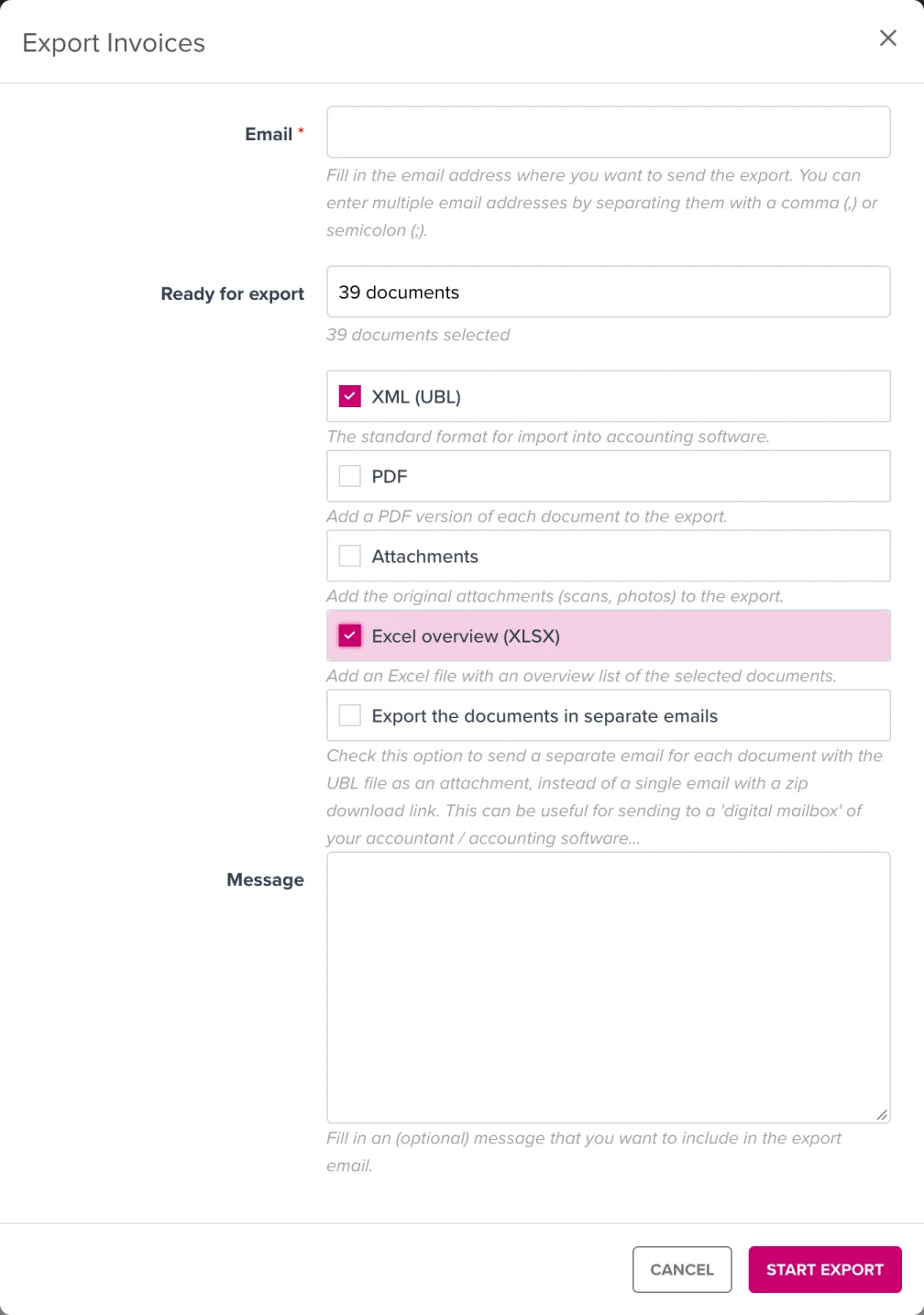
You can simply close the window afterwards and continue working: the export is created in the background and the email will arrive in your mailbox a few moments later.
ℹ️ The Excel overview is unticked by default. Sage Cloud Demat Invoicing does remember your last choice per document type, for your whole company and also for an export to your accountant. If you or a colleague sent only XML to the accountant last time, the Excel overview is unticked again. So check the ticks every time.
💡 Tip: under Settings → Emails, set the Email address export to myself field; that address will then be pre-filled every time.
You get an email with a button to download a zip file. Best download it right away: the link only stays valid for a limited time.
The zip file contains:
ℹ️ There is no separate choice between Excel and CSV: the overview is always an
.xlsxfile, which you open in Excel or another spreadsheet program.
💡 Exporting a very large selection? The system will ask you to refine your selection, for example by period. In that case, create a few smaller exports.
In the same export module you will also see Export to accountant. It lets you send the documents themselves (as XML (UBL), PDF and/or attachments) directly to your accountant’s digital mailbox. Export to myself is intended for your own use, such as analyses, reporting or archiving.
Want to know more about exporting to your accountant? Read Forwarding documents to your accountant by email or check the available integrations (Clearfacts, BillToBox, Octopus, …).
