Do you work by the hour or per project? With the Projects module you register worked hours and used products per customer and per project, and invoice them afterwards in a few clicks: detailed or summarised, however you prefer.
ℹ️ Projects, time and product registration is a module that is available depending on your subscription (included or as an add-on). Don’t see the Projects menu? Contact help@clouddematinvoicing.be.
PR2026-00001)A project has a status: In progress, Finished or Over budget. If your registrations exceed the configured budget, a warning appears on the project dashboard.
On the project dashboard you’ll see a chart and key figures (worked hours, amount, products), and via the tabs all linked registrations and documents: quotes, invoices, credit notes, expenses and more.
If your company has multiple users, you also choose the employee you are registering for. In the overview you can filter by date, employee, customer and project. Via Export you download the registrations (with the active filters) as an Excel file.
Besides hours, you register product registrations the same way: materials or products used on a project.
There are two starting points:
In the dialog that opens:
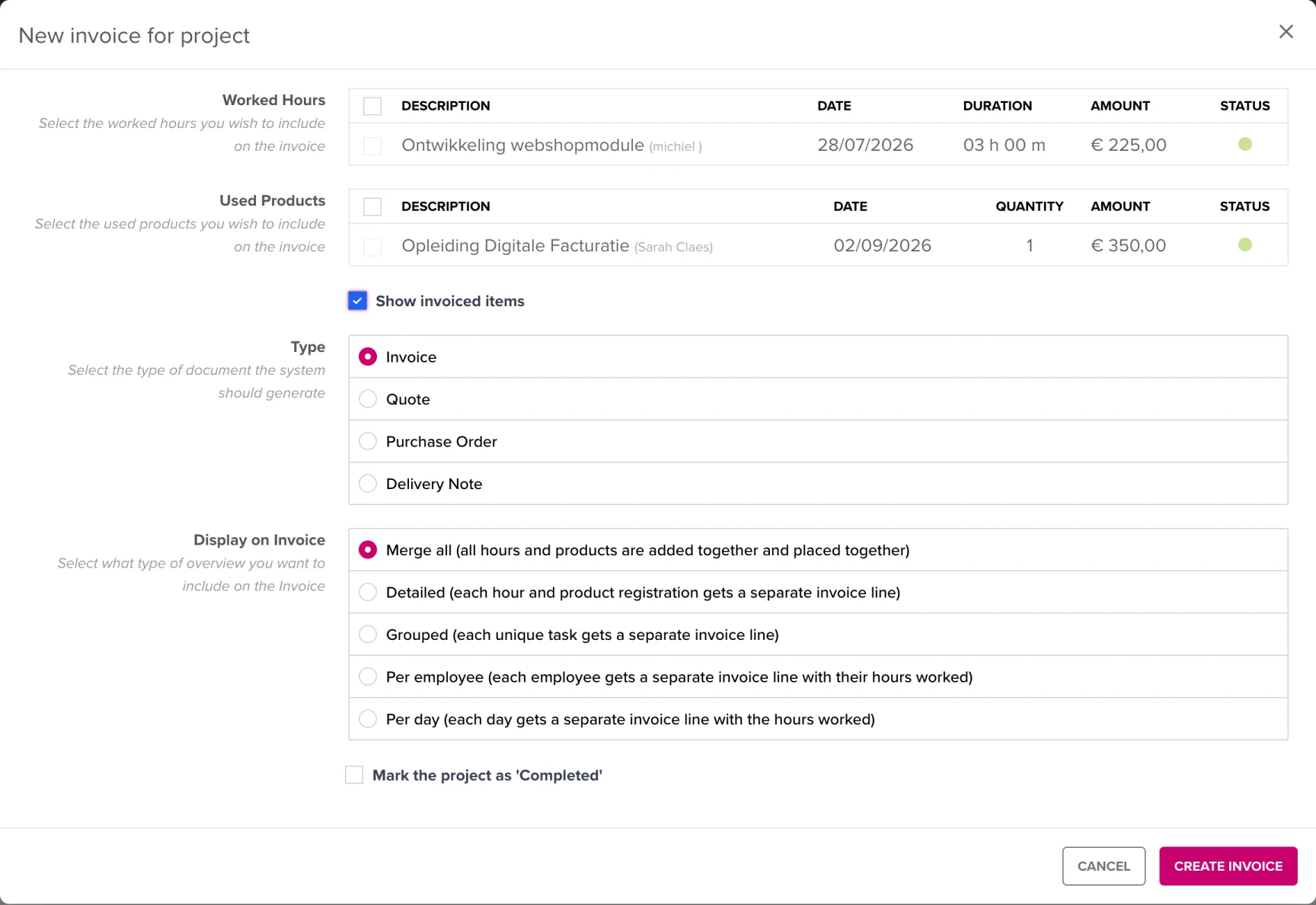
The invoice opens as a draft in the regular invoice editor, so you can still review and adjust everything before saving. Only when you save do the selected registrations get the status Invoiced, so you never accidentally invoice them twice.
Under Projects → Hourly rates you manage your fixed rates (name, price and VAT percentage). The rate is determined on three levels:
The rate is locked in on the registration when saving: if you change an hourly rate later, nothing changes for hours already registered.
Who sees which registrations? By default an employee only sees their own hours. Via the user permissions you can also let someone see the registrations (and projects) of all employees.
Can I invoice a registration again? An invoiced registration can no longer be selected in the invoice dialog. If something was wrong, correct it via a credit note and add the work manually to the new invoice.
Does a registration need to belong to a project? No. A customer is required, a project is not; you invoice loose registrations from the Time registration overview.
