How do I create my first invoice?
Step 1: Start a new invoice
- Go to Invoices
- Click on Add in the top right corner
Step 2: Select your customer
- Choose an existing customer or create a new one
- Verify that the customer details are correct
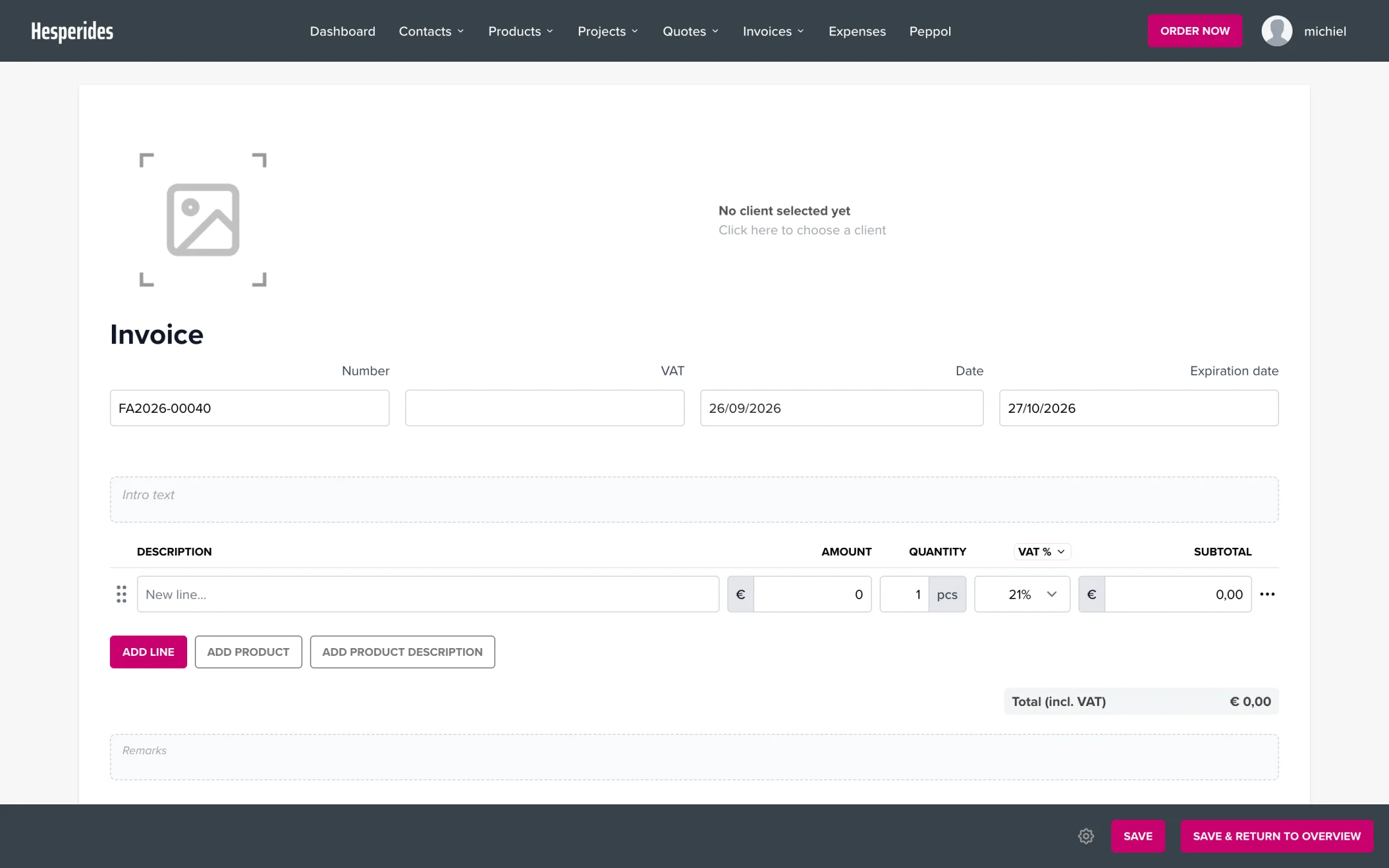
Step 3: Add invoice lines
- On the first line, fill in the description, amount, quantity, and VAT rate
- Click on Add line for an extra line, or on Add product to pick a product from your list
- Repeat for additional lines
Step 4: Review and send
- Review all details
- Preview the invoice
- Click Save and then Send
💡 Tip: Create standard products under Products to speed up invoice creation.
